

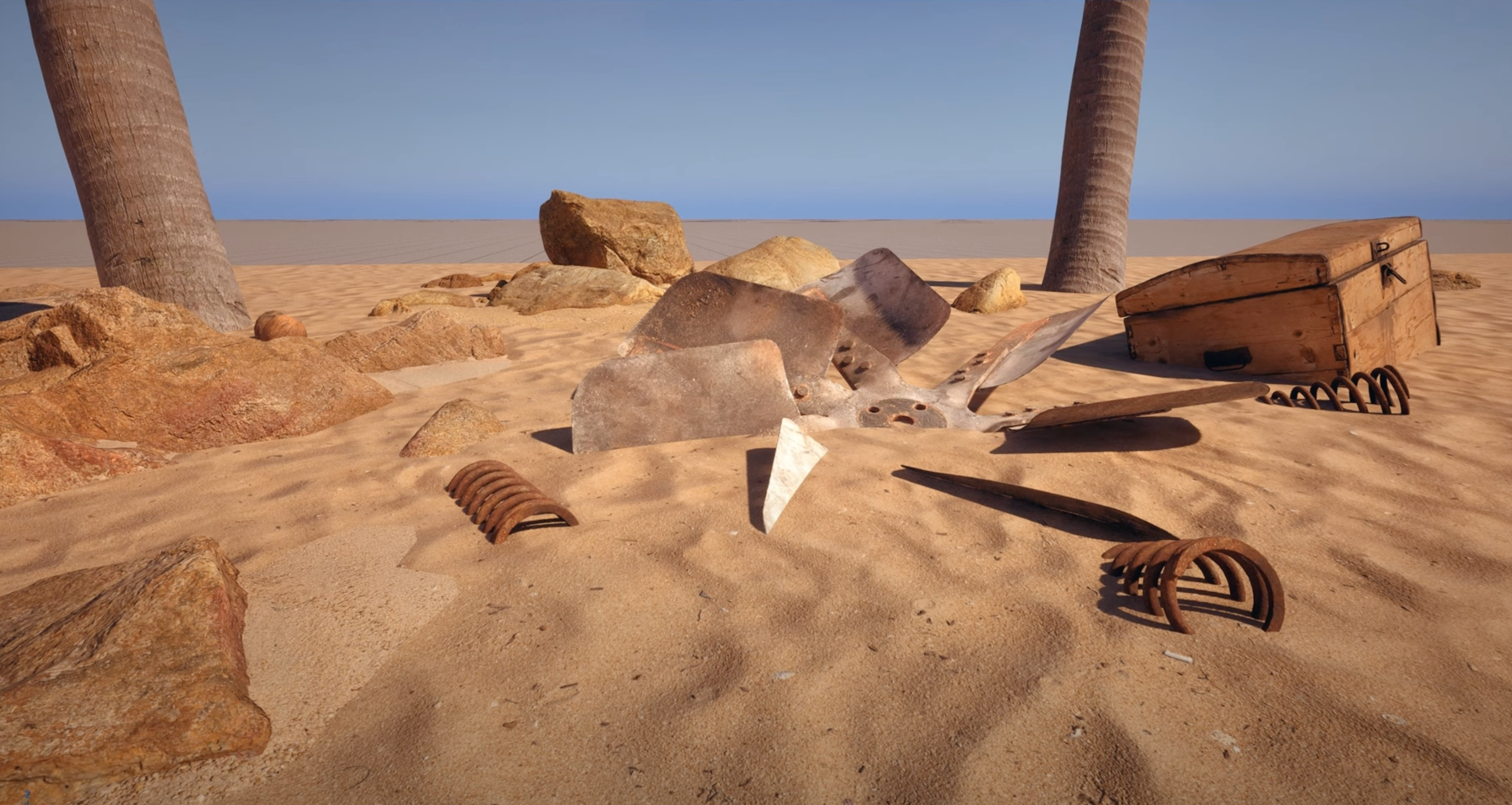
 MeshBlend off...
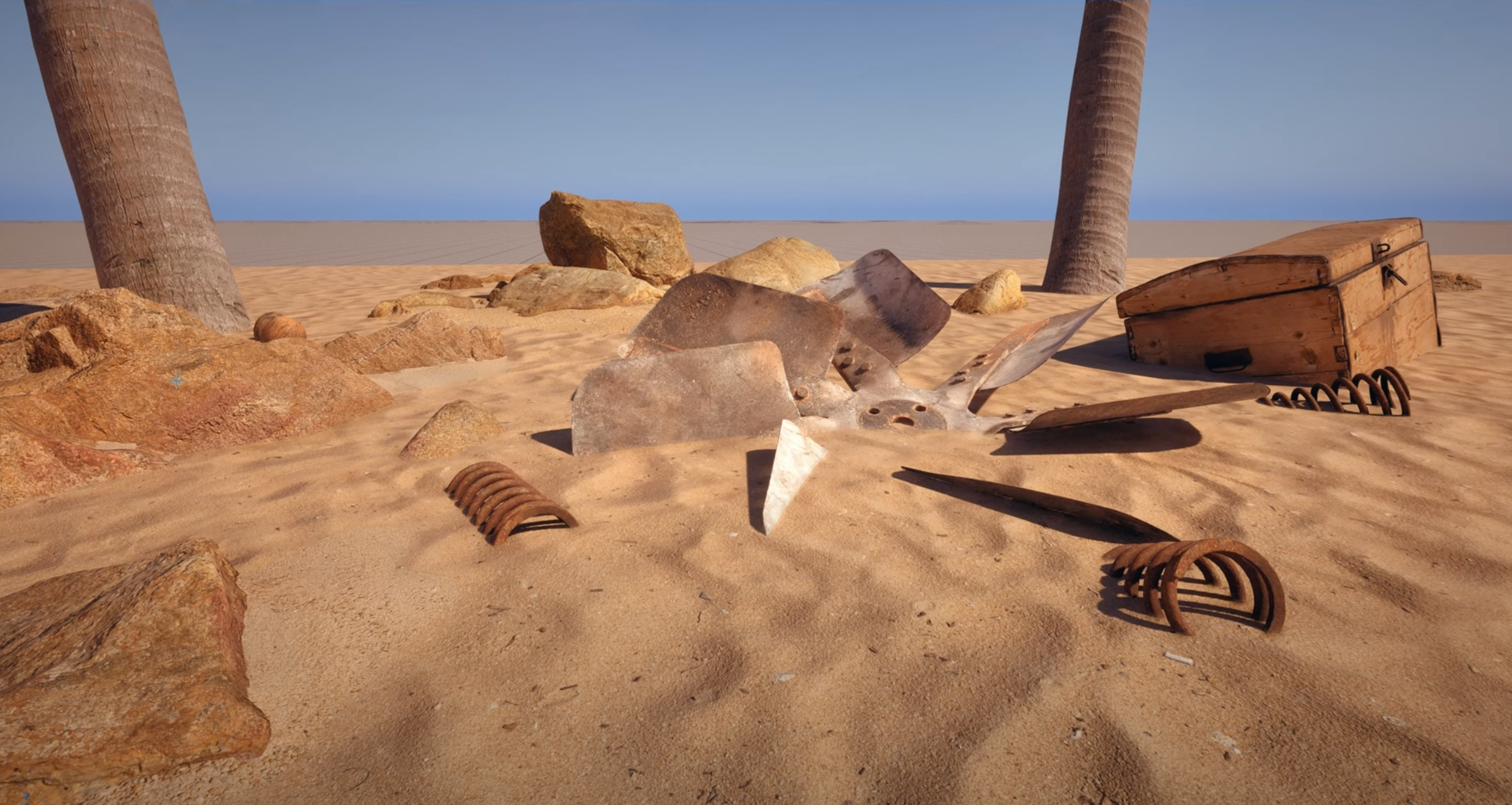 MeshBlend on!
MeshBlend is a plugin that allows you to "blend" any two intersecting meshes so that at the points where they contact each other, their materials smoothly flow into each other, masking the fact that they were authored as separate meshes (and textures...). This YouTube trailer explains it very well - if for any reason that's not available anymore (in the future), the screenshots I pasted above are all you need to understand the concept. Do not go and look further than this - it's important that you stay with me for a bit here!
Now for the fun part. How would you implement something like that? Can you come up with a theory on how it works? And to be clear, it doesn't matter here if by the end you'll guess exactly what Tore's doing in his plugin... in fact, it would be much more exciting to have a theory of how this could be done that ends up being nothing like MeshBlend's actual technique!
Story time...
Ok, so to give you time to think, and to put some physical space here between the challange and the solution we'll explore below, let me ramble a bit.
I found fascinating how once you have a proof of existence, often that's all you need to come up with your own solution. And I don't mean for things that you didn't think of doing, did not know they were desirable. Sometimes if we try to think of a solution we self-limit our imagination, we don't investigate all possibilites because we just assume that... it can't be done. The evidence that it can be done is all we need to unblock ourselves.
I told a few times the story of how I first encoutered SSAO. It was November, 2007. How do I know? Well that's the release date of Crysis, which first introduced it to the world. One of the artists ([Rikk]) at the company I was working for at the time got a copy and started looking at the textures (I'm pretty sure using NinjaRipper) and found a weird-looking screen-space ambient occlusion one.
We rallied around his monitor, in awe. I knew about ambient occlusion, I remember reading of this technique used in movies, implemented via Mental Ray (which pioneered "production" raytracing), I could have never dreamed to do it in real-time! But, there it was, clear as day - it was possible. So how? Well, I knew that among various improvements to the Relief mapping idea, people started to emulate raytracing by walking over a depth buffer. And I though I needed raytracing, so the obvious solution for me was... to raymarch the depth buffer. I quickly jerry-rigged a prototype in Fx Composer 1.8, my weapon of choice at the time... and it kind-of worked.
Now, did I re-invent SSAO? No, not by a long shot, and realistically my idea would not have really worked, raymarching at the time would have been way too slow, I vaguely think I remember imagining to use mips to speed things up, but still, these thoughts would have been viable only a decade later, with the invention of screen-space temporal accumulation. But, was it fun? You bet, it was exhilarating!
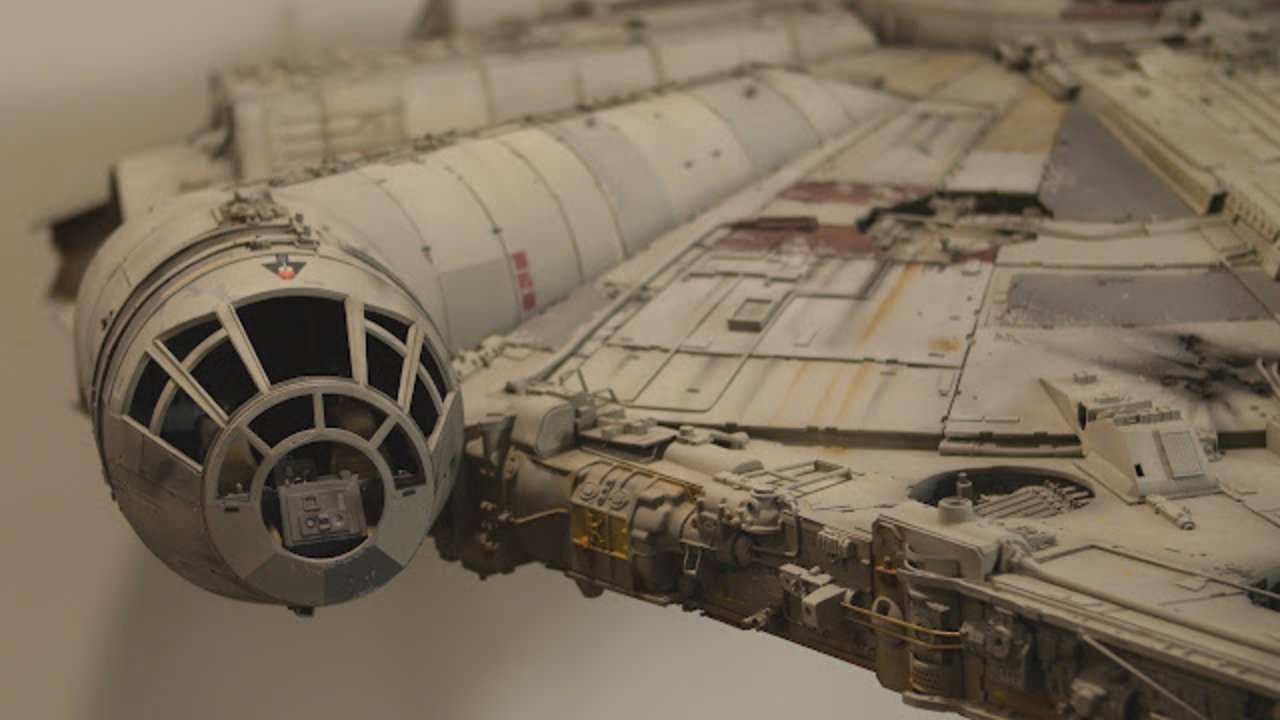 Probably the most famous kitbashed models...
The story here is similar, in a way. Did I know that kitbashing was cool? Oh yes, I love kitbashing! Did I know that blending materials in kitbashed creations is useful? Totally! In fact, for a while I worked on a kitbashing system that, among other things, had the explicit goal of working with both meshes and their textures.
My idea at the time was to work with distance fields. Instead of doing what most do with them though, which is to go the Dreams route of using millions of analytic primitives, my system was designed to create fields from meshes. In fact leverage the fact that you can always go back to the original triangles and their analytic distances to bake "offline" - once the editing was done, to high precision, high-density re-topologized (and then simplified) meshes (very very loosely inspired by el topo).
Regardless, as part of that, I knew I had to deal with textures, I knew it would be ideal if the texturing could blend as nicely as distance-field could for the various soft-boolean functions - and my idea for that was to have layers of "fields" that could project in various ways and with various fallofs, textures with their parametrizations.
This actually works... but it's obviously incredibly slow, and makes sense only if you have some way of doing a fast preview for edits and then bake "chunks" of geometry once certain areas of the world are "stable" enough. How would you do nice kitbashed texture blending in real-time though?
Let's give it a try.
First, some observations. Real-time rendering is always full of caveats, it's - among other things - the art of picking the right tradeoffs and right constraints. Per each set of immovable constraints we set, typically we can figure out a new, unique, solution to the problem.
In fact, it's even interesting to diverge from MeshBlend and go wild with "what if" - but let's start from what we can see from the trailer and screenshots. What do we observe?
Here's my list (I'm literally copying it from my notebook):
- It can blend any mesh with any mesh.
- The blend seems "bi-directional", i.e. the transition is centered along the line where the meshes intersect - we don't have a "solid" mesh and a "decal" one on top, where only the edged of the latter are faded out.
- The blend seems only to be possible in a relatively small radius. It is customizeable per mesh.
- The blend appears "solid", it does not change as the camera moves, it is not affected by view angles - seems quite stable.
- I noticed it takes some time to "converge" when the plugin is enabled, so there might be some temporal amortization of sorts.
- The blend seems to be a "blur" - i.e. linear interpolation, it does not seem to support masking patterns.
- Seems to work with arbitrary meshes and arbitrary materials, and not affect the texture resolution.
- It isn't a whole kitbashing system, it does not support boolean operations, in fact, it does not do anything to the geometry at all...
Bonus intel:
- Tore said (on Twitter) it needs to use deferred rendering but other than that, it's generic and fast.
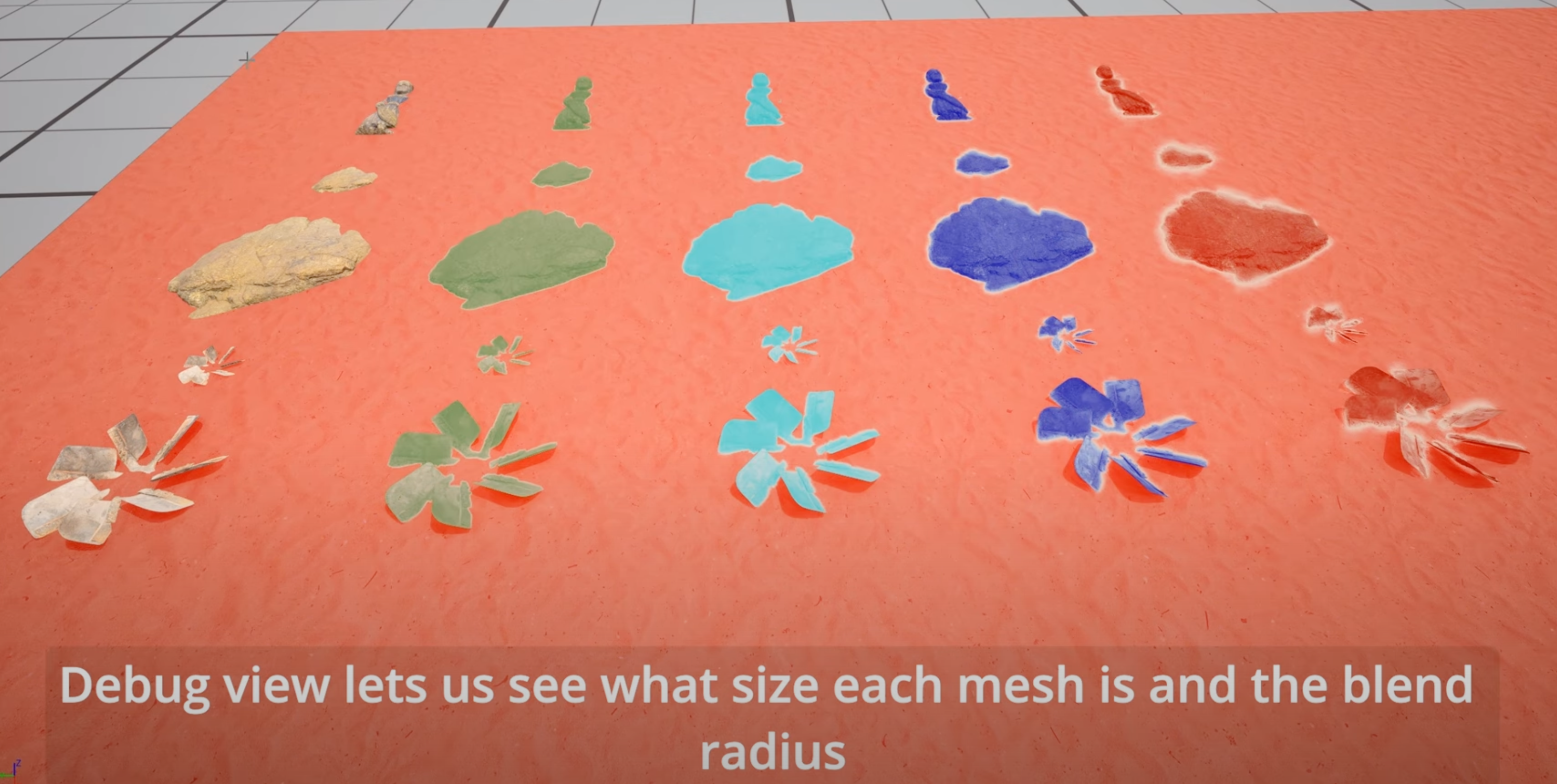 A debug view - showing per-mesh configurable blends, from YouTube.
Does this help? You might have already spotted the/a solution - maybe even from the first screenshots. If so, congratulations, I did not get it at all... What are you doing still here?!
It seems that you would need to know the distance between any two meshes to do this. Deferred rendering - even if we did not know it was a play from the author - would have been an easy guess, because the effect kind-of looks like a decal, it's precise in screen-space, it does not look like it's generating new texture data behind the scenes (virtual texturing or so) as the textures do not change at all outside of the blended ares with the effect on and off. Similar reasoning for geometric "skirts" - generated around the intesecting areas.
But if we were to use mesh geometry as a decal and "fade out" around the intersection... how would we do that? That doesn't sound easy...
And let's assume we had the distances (assumptions are great!)... would it help?
If we just "fade out" / blend when a mesh is too near another one, the transition would not look "centered" at the intersection. But worse, still, we would have created something simlar to transparency (over the g-buffers), and transparent things show the parallax between the two layers.
Now, one could argument that the blend radius is so small that the parallal would be minimal, but that's not true when you see things at an angle - it's not really a convincing argument, we'd need to fade out the effect in these cases, maybe possible? If it supported only certain projections from "decal" meshes it would be simpler, as now we could do something like projected decals... We could "lift" UVs to volumes, to "influence" nearby geometries... but UV discontinuities are hard to handle in that case.
How would we compute the distances? We would need to know the distance between the two meshes. Baking distance fields? You can follow that train of thought, it still wouldn't be easy, even if you wanted to pay the memory cost...
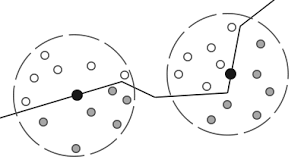
Are there other ways? Well, we can't just read what's in the depth buffer - same problem as for the blending, you would not get what's nearest to you, but what's "behind" from a given viewpoint, which is not stable in world-space, obviously. So perhaps you can "sample around" to see what's near. Like... Crytek's OG SSAO did!
 The gift that keeps on giving...
Eureka!
Do you see it? If not... again, I wouldn't blame you! To his credit (and my demertit) Alan Ladavac on our rendering team even told me "did they turn SSAO into a blur radius" - and I still didn't get it, I thought you could "search around" but then... how to blend?
Again, it's all about not limiting ourselves. Putting all possible options on the table, and trying. The problem for me was to think deferred...decals, and only that. But what if you don't try to do nothing in the geometry pass, and instead use something SSAO-like to just decide when and how much to fetch the material properties between two surfaces? When the SSAO is at its peak it means you fetched many samples that where close enough, right? Don't use just the depth to compute occlusion, accumulate the material properties fetched at these sample locations!
Looking very, very close... I'm pretty sure that's the exact solution at play here. I think the plugin is out now - I even saw there is a downloadable demo, but I did not try to do a GPU capture to confirm, it would be against the spirit! And even assuming it's SSAO-like - it's still not easy, obviously, not easy to make it fast, not easy to make it stable... I suspect a what helps a bit (compared to ambient occlusion effects) is that the blend radius is small - so literally going back to the first SSAO ideas, where you had something closer to halos in the corners, tha actual "long range" occlusion".
In fact, from here to an actual implementation, we would probably discover a million other fun things, perhaps you want to temporally accumulate separately a blending factor and the actual material blends - the latter need to be done at full resolution, the former could not? Perhaps you want to save some information to blend the materials more "directionally" towards the closest opposing surface, maybe you want to use mipmaps, definitely you need to think how to properly reject z-buffer depth discontinuities when they are too large... In the end, you'd likely end up with something that is not at all Tore's implementation.
Overall, congrats to the author - MeshBlend surely is an amazing feat, both of imagination and implementation! And most importantly for us here - if you followed me along and tried yourself to solve the problem (and assuming it was not just obvious for you)... I hope you had fun! If you found other ways to solve this - let me know!
Update: found this article, which describes a technique very similar to this one!